
Loan Editor
Partners can now enable lenders to navigate to Encompass standard forms without closing the partner integration UI. This capability is enabled through the new JavaScript library action, launchLoanEditor.
Launching Loan Editor
applicationObj.performAction("launchLoanEditor")
This action is supported only in the Encompass desktop interface. When invoked, it opens a modal window, similar to the image below:
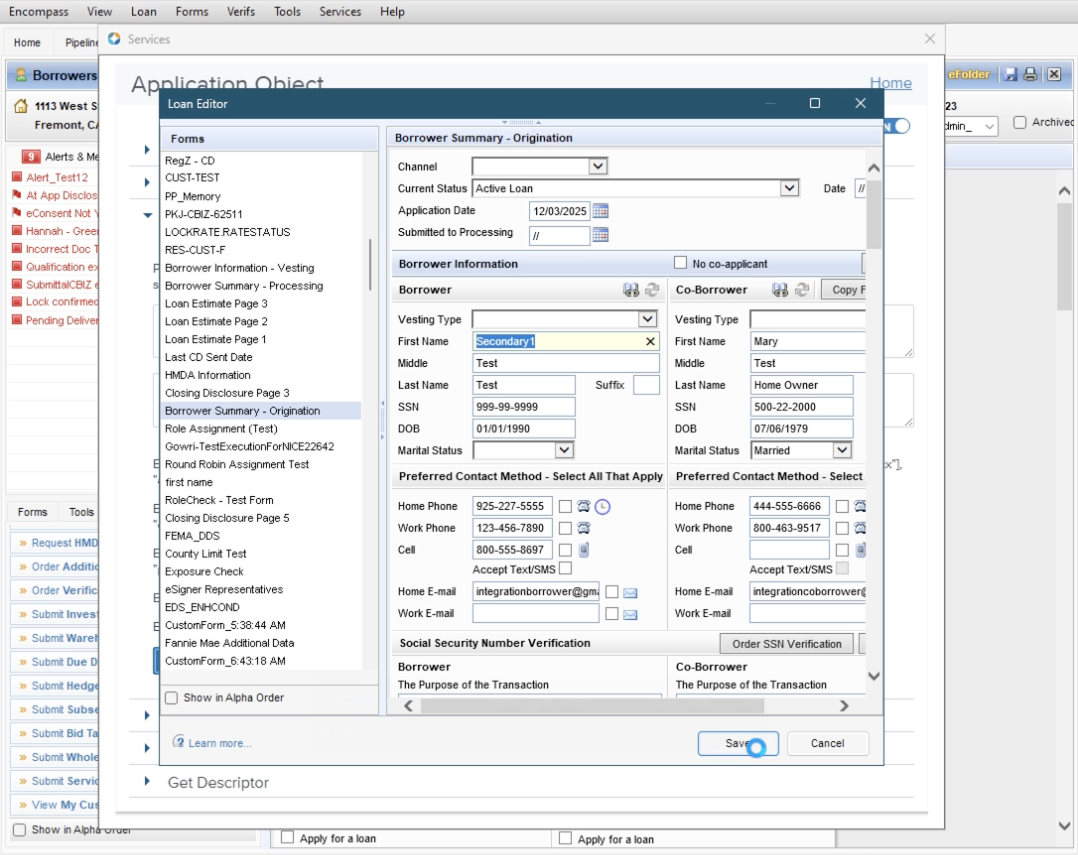
Users can update loans using the Loan Editor and save their changes. If this occurs, the partner integration is notified when the user closes the Loan Editor via the new JavaScript Library event, loan.committed.
Partner integrations should subscribe to the loan.committed event if they need to determine whether a user made changes through the Loan Editor. This event only indicates whether a change occurred; it does not include any content or data details.
Code examples
import host from '@elliemae/em-ssf-guest';

async function subscribeLoanCommitted(callbackFn) {
  try {
    const loan = await host.getObject('loan');
    const loanCommmittedToken = loan.committed.subscribe(callbackFn);
    return loanCommmittedToken;
  } catch (error) {
    console.log({ error });
  }
}

async function unsubscribeLoanCommitted(loanCommmittedToken) {
  try {
    const loan = await host.getObject('loan');
    if (loanCommmittedToken) {
      loan.committed.unsubscribe(loanCommmittedToken);
    }
  } catch (error) {
    console.log({ error });
  }
}

async function launchLoanEditor(options) {
  try {
    const actionName = 'launchLoanEditor';
    const applicationObject = await host.getObject('application');
    const capabilities = await applicationObject.getCapabilities();
    const supportedActions = capabilities.supportedActions;
    if (supportedActions.includes(actionName)) {
      await applicationObject.performAction(actionName, options);
    }
  } catch (error) {
    console.log({ error });
  }
}

function loanCommmittedListener(event) {
  console.log('Loan Committed event received', event);
}

// subscribe to loan.committed event
let loanCommmittedToken = await subscribeLoanCommitted(loanCommmittedListener);

// first launching example
await launchLoanEditor();

// second launching example
await launchLoanEditor({"fields":["4000","2", "3", "4"]});

// third launching example
await launchLoanEditor({"fields":["4000","2", "3", "4"],"landingPage":"1003 URLA Part 3"});

// forth launching example
await launchLoanEditor({"fields":["4000","2"],"landingPage":"VA Management"});

// unsubscribe from loan.committed event
await unsubscribeLoanCommitted(loanCommmittedToken);
Customizing Loan Editor
Below is the default Loan Editor experience when the action is invoked without providing a request payload:
applicationObj.performAction("launchLoanEditor")
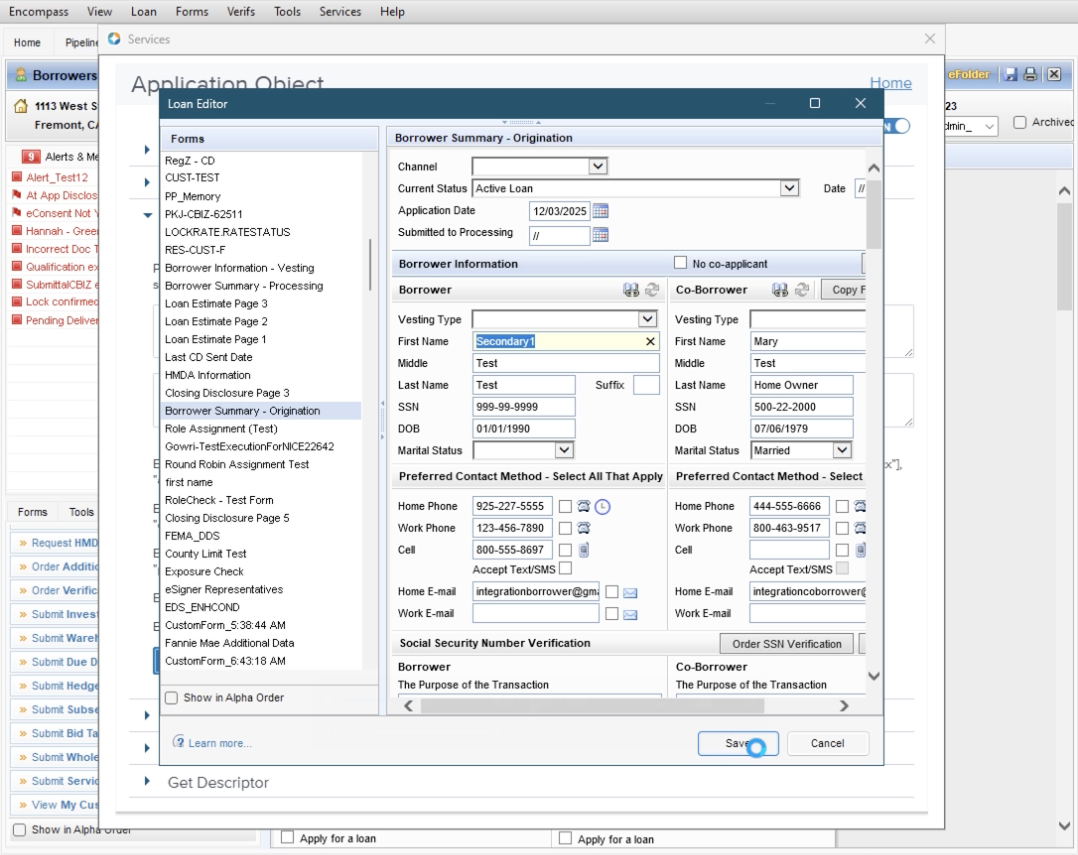
Partner integrations can customize the Loan Editor user experience by specifying a set of fields for the lender to focus on and/or a specific Encompass form that the editor should open to:
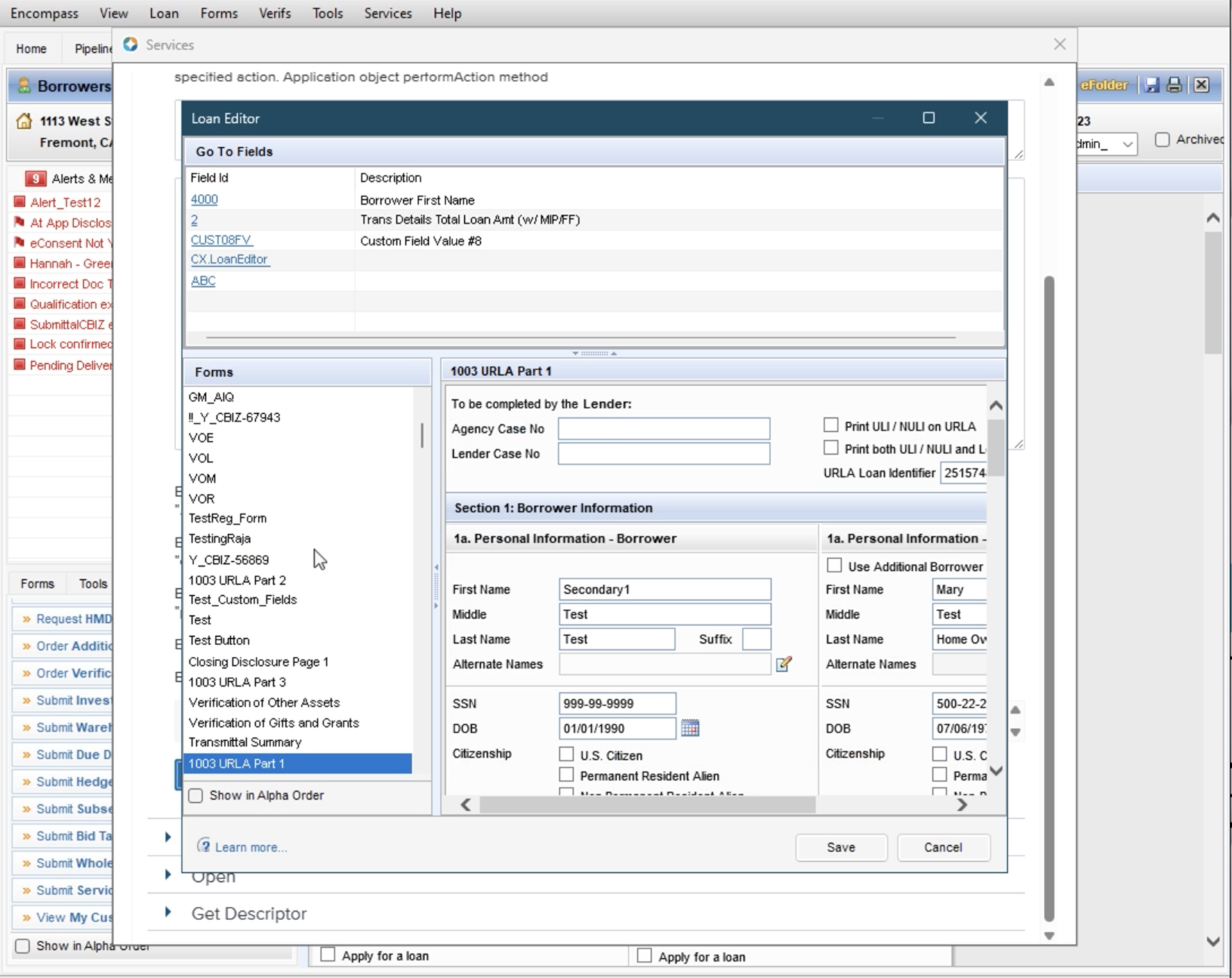
applicationObj.performAction("launchLoanEditor", {"fields":["4000","2","CUST08FV","CX.LoanEditor", "ABC"],"landingPage":"1003 URLA Part 1"})
This results in the Loan Editor launching as displayed in the image below. Note the -
- Go To Fields panel at the top
- Editor opens on the specified
landingPageform by default, which is already selected in the left‑hand Forms list
Clicking a field ID in the top panel navigates the Loan Editor to the form that contains that field. Invalid field IDs do not trigger errors, but they also do not navigate to any form.
Updated 7 months ago